Pay with AI3
Pay with AI3 lets you purchase Auto Drive storage credits directly with native AI3 tokens — no intermediary, no grant form, no approval process. Payments are made on-chain on the Auto-EVM network (Chain ID 870) and credits become available within a few blocks of confirmation.
AI3 on Auto EVM required. Payments use AI3 on the Auto-EVM network, not on the consensus chain. If your AI3 is on the consensus chain, you will need to move it to Auto EVM using Cross Domain Messaging (XDM) first — see the XDM guide.
Video walkthrough
Step 1: Open Purchase Credits
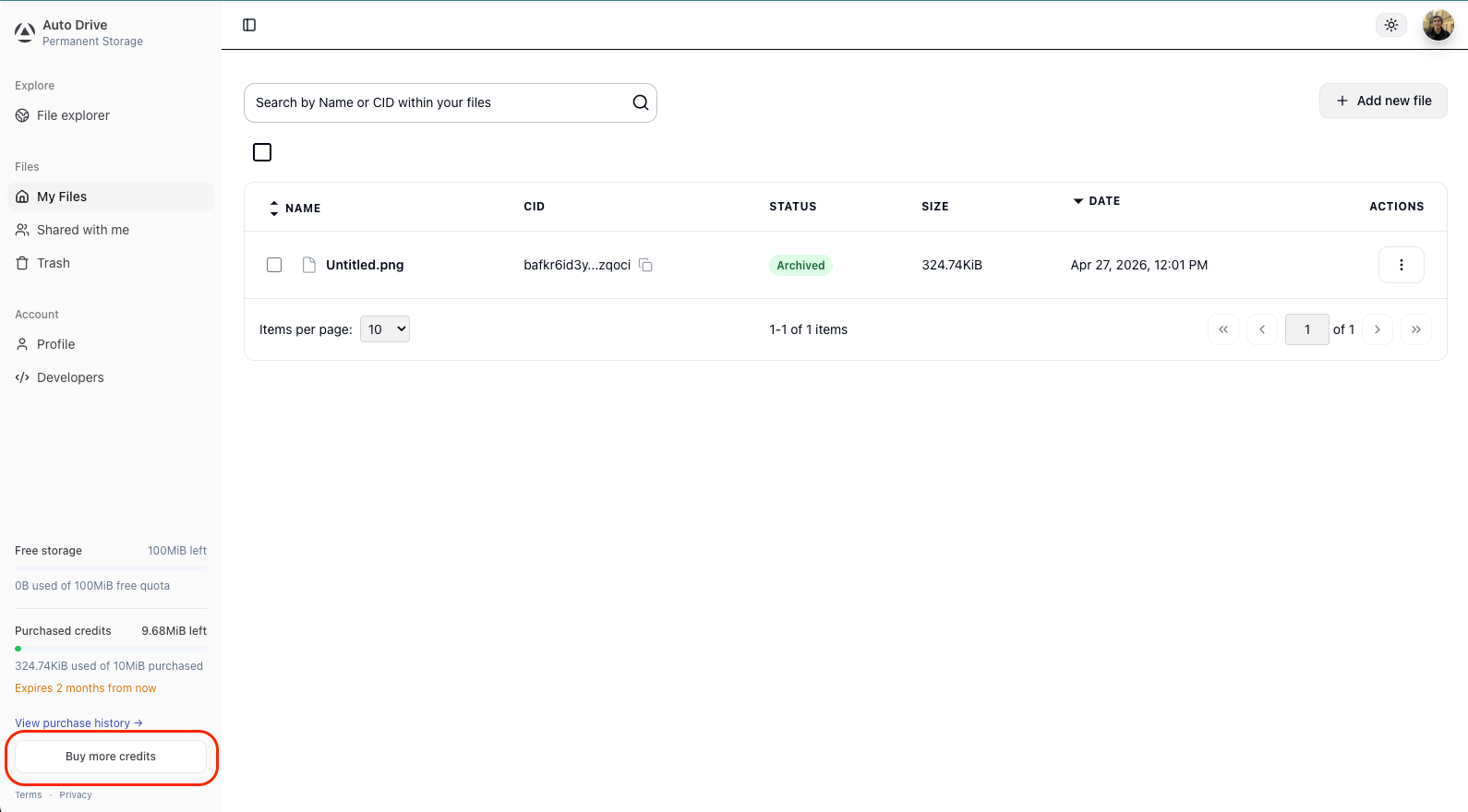
Sign in to ai3.storage via Google and click “Buy more credits” in the bottom-left sidebar of the dashboard.
Google authentication is required, if you’re using GitHub, Discord or a wallet, you will not see the option to purchase credits.
Step 2: Select a Package
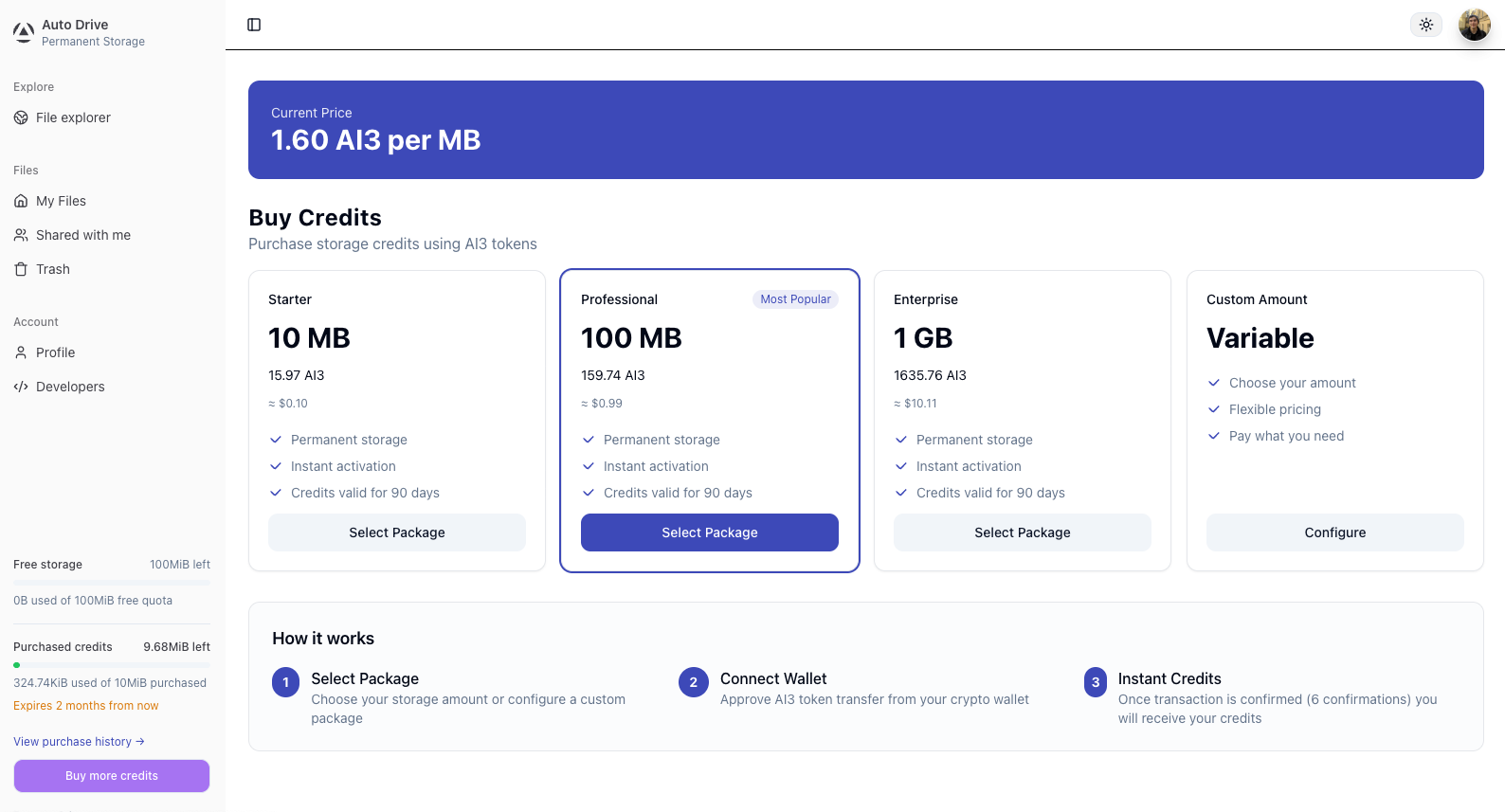
Choose one of the preset packages or configure a custom amount. The current price per MB is shown at the top of the page and is derived from live protocol-level DSN storage costs.
Step 3: Review and Confirm the Order
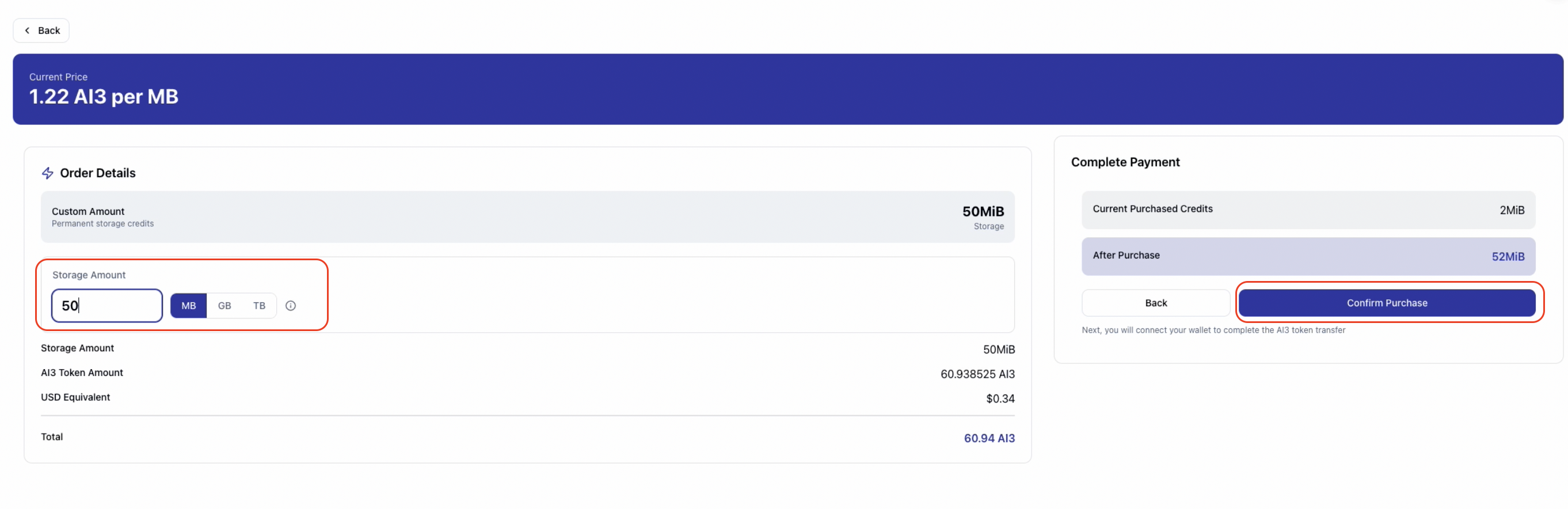
After selecting a package or entering a custom amount, review the order details — storage amount, AI3 token amount, USD equivalent, and your credits balance before and after purchase. Click “Confirm Purchase” to proceed.
The price is locked for 10 minutes from this point. Complete the payment within the window. If the timer expires before the transaction is sent, go back and request a new price quote before purchasing.
Step 4: Connect Your Wallet and Send the Transfer
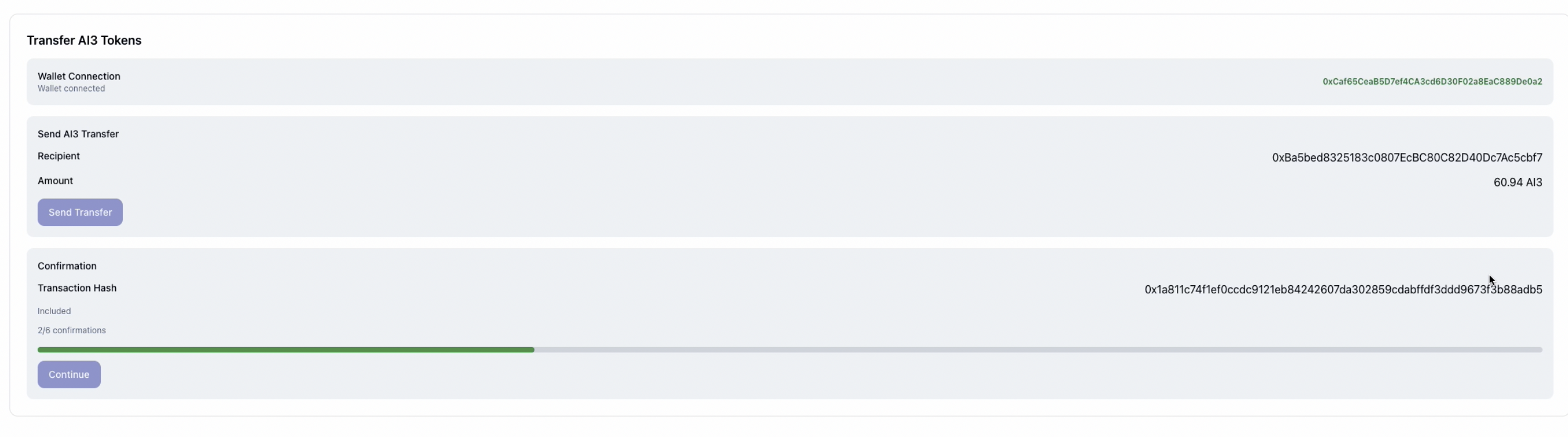
The next screen shows the transfer details: your connected wallet address, the recipient contract address, and the exact AI3 amount. Connect a compatible EVM wallet and click “Send Transfer”.
Your wallet must hold AI3 on the Auto-EVM network (Chain ID 870). If your AI3 is on the consensus chain, XDM it first — see the Cross Domain Messaging guide. If needed, add Auto EVM to your wallet:
Network Name: Autonomys EVM
RPC URL:      https://auto-evm.mainnet.autonomys.xyz/ws
Chain ID:     870
Symbol:       AI3
After sending, the page will show a confirmation progress bar. Wait for 6 out of 6 block confirmations before continuing.
Step 5: Payment Complete
Once all 6 confirmations are reached, you will see a payment receipt showing storage added, AI3 paid, transaction hash, and your new purchased credits total. Click “Continue to Dashboard”.
Your credits are immediately available and will be reflected in the sidebar balance. Credits are consumed in FIFO expiry order — credits closest to expiration are spent first.

A Note on Current Limitations
These restrictions are deliberate economic protections, not permanent product decisions. The Autonomys Network is still in its early growth phase, and they exist to prevent storage credit hoarding or speculative accumulation. The goal is for storage credits to be used, not held.
Google authentication is required. Purchasing credits requires signing in with a Google account. Server-side integrations work as long as the owning account authenticated with Google when creating the API key.
100 GB maximum purchased credits per account. This limit is enforced at the time credits are granted. If a payment would push you past the cap, the intent moves to OVER_CAP — the payment is not lost and is recoverable.
Purchased credits expire after 90 days. Unused bytes are forfeited at expiry. Work is underway on automated refunds for unused credits — for now, expiry forfeiture is recoverable through support.
These constraints will be revisited as the network matures. If you are building something that these limits add friction to, reach out on the forum or in Discord.
For full details, see the Auto Drive Terms of Use.
Further Reading
- Auto Drive Overview
- Pay with AI3 — Developer Integration — integrate permissionless credit purchasing into your own application
- Eulonomys — reference app built with Pay with AI3
- File Encryption Specification
- Auto Drive SDK